Technically speaking, all sorts of video types can go viral on social media. To name a few, vlogs, tutorials, and interviews. Yet, we can’t neglect the importance of lip syncing videos. Viral lip syncing challenges and trends on TikTok can generate millions of views and likes. On TikTok, lip syncing videos have an average engagement rate of 17.99%, significantly higher than other types of video.
If you desperately want to create a lip syncing video, look no further. Here in this post, you will be going to learn:

What’s a Lip Syncing Video
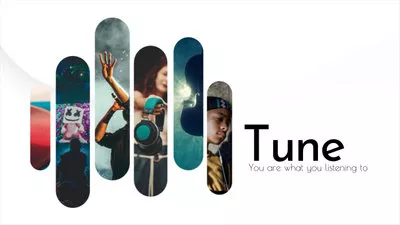
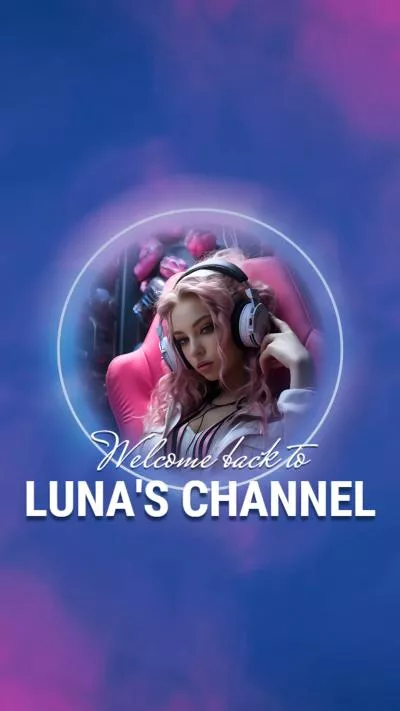
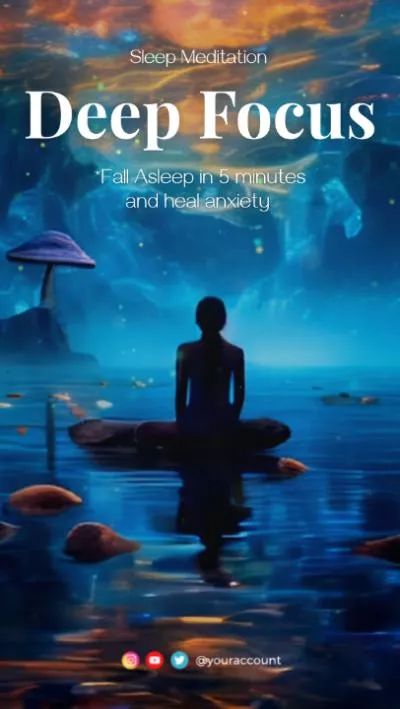
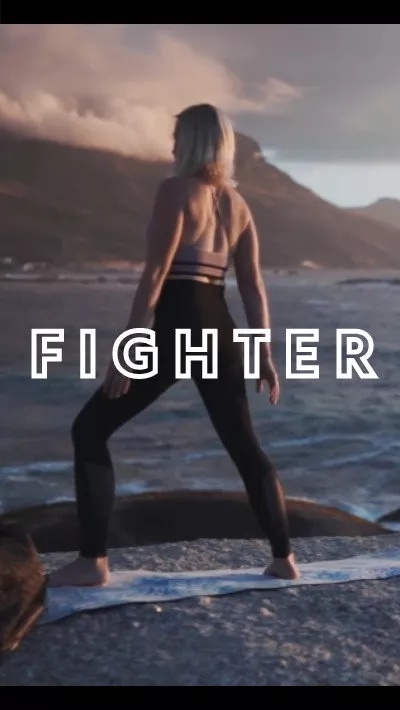
A lip syncing video means an individual moves his lip in synchronization with a pre-recorded audio track, usually a popular song, or a classic monologue from a classic movie. Its goal is to create the illusion that the person is actually singing or speaking the audio track. These videos can be quite entertaining and often used for creative expression, and humor.
This is a great example of lip syncing video.
Lip Syncing Video Examples
How to Manually Create a Lip Syncing Video with TikTok
TikTok is where you can participate in tons of lip syncing challenges. Whenever you find a lip syncing video, you can use the exact same audio, film your own version, and share directly. Instead, there are tons of music tracks ready to be used to create brand new lip syncing videos.
Now, let’s dive into the detailed steps to create a lip syncing video with TikTok.
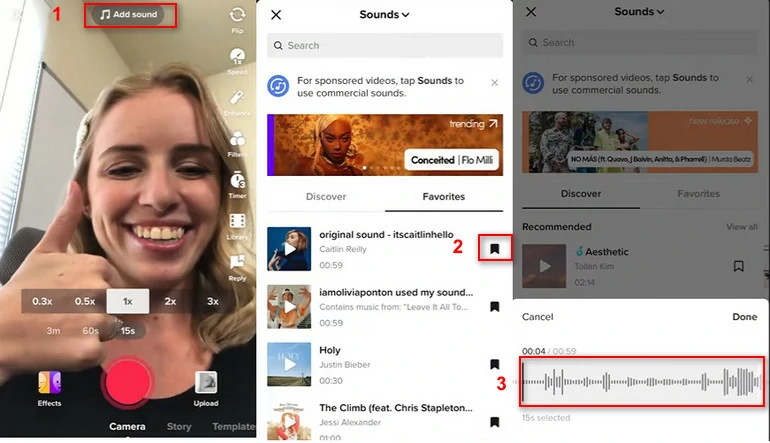
From TikTok Tactics
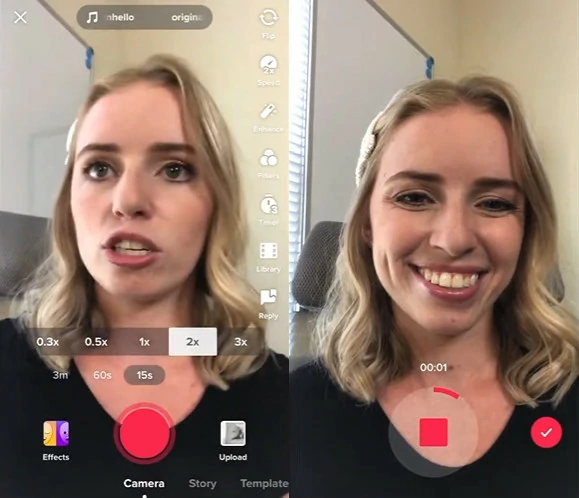
From TikTok Tactics
Use AI to Create Lip Syncing Videos
People on TikTok have a very tolerant attitude towards lip syncing videos. Because they clearly know that your video is just for fun. In case you are a perfectionist who can’t stand even a minor mistake, FlexClip helps create a lip syncing video of your dream.
See, FlexClip has powerful AI talking avatar tool that helps create digital clones from images and videos, and read out anything with accurate lip-sync. Syncing from an existing audio file is also possible.
FlexClip AI Talking Avatar Tool Overview
Click on the Create a Lip Sync Video button, you will be led to FlexClip's AI Avatar tool.

FlexClip offers a library of avatars perfect for presentations, UGC ads, etc. Click on the Use button to get started.
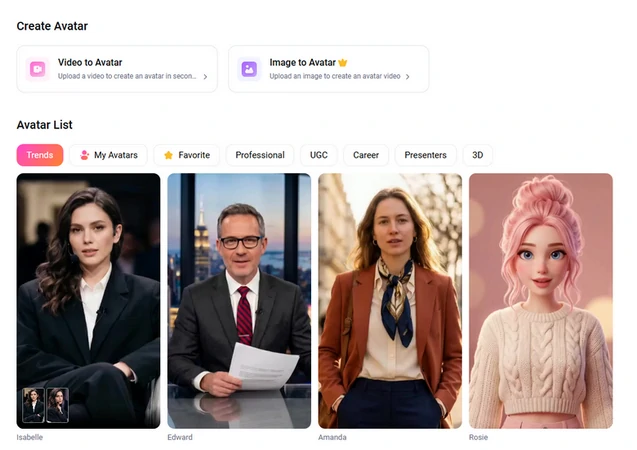
Choose FlexClip's Talking Avatar
Feel like creating customized avatars? Upload an image or a video, FlexClip automatically generates a customized avatar. A clear image or video facing front is preferred.
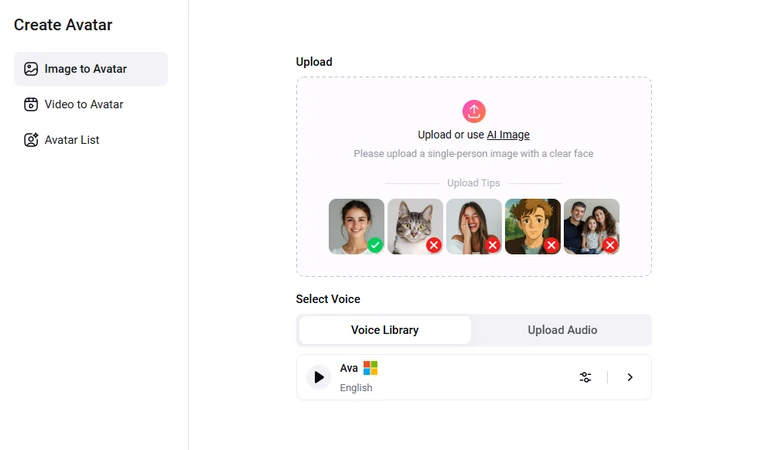
Create Customized Talking Avatar
Drag and drop an audio file to FlexClip. AI will start transcring the audio file, then animates the image, or changes the lip movements in the video.
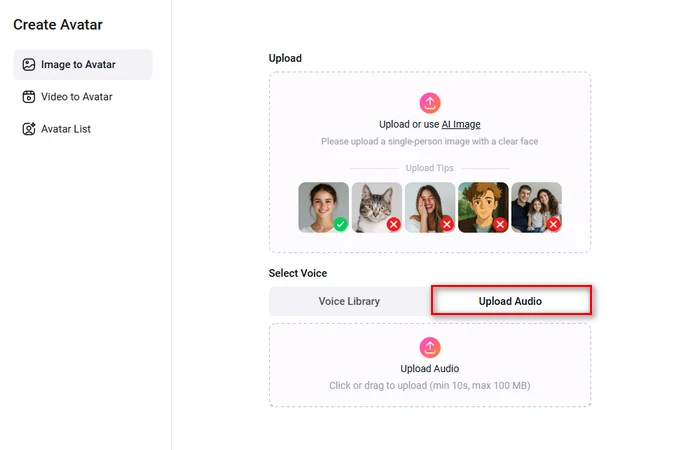
Upload Audio for Talking Avatar
Once you got the lip-sync video clip, you can make edits like merging, trimming, applying background music, transitions, adding captions.
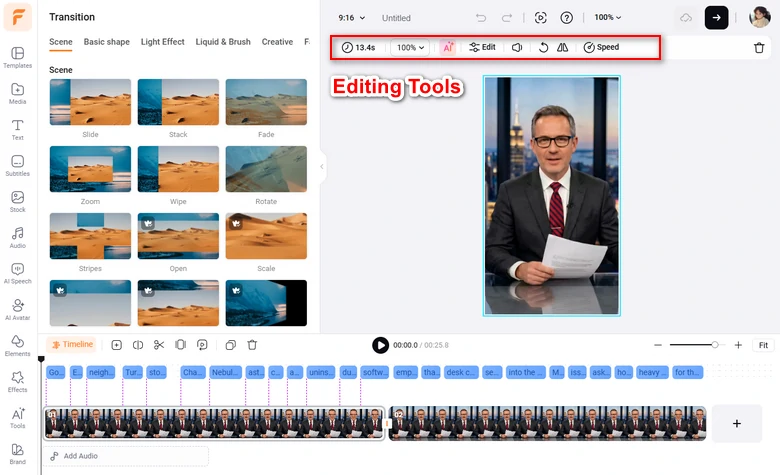
Edit Talking Avatar Video
FlexClip provides several ways of sharing your lip-syncing video. Download the lip-sync video to a local folder, share to cloud services, share via a short link, or post to social media.
Other AI Lip Syncing Video Makers to Try
Besides FlexClip, there are tons of other lip syncing video makers to deliver information for you. Here are 3 AI lip syncing video makers you must try!
Synthesia - Ask AI Characters to Speak Anything for You
Synthesia is widely known for its vivid AI characters. Based on real people’s photos and videos, the AI character’s body gestures and lip movements are extremely natural. Besides its AI characters, Synthesia supports 130+ languages, 400 AI voices. You will not encounter any language barriers and be able to find the voice you like.
To make the lip syncing video more natural, Synthesia allows you to customize gestures, add pauses to the speech. On its subscription plan, you can clone your own voice or build your own digital twin.
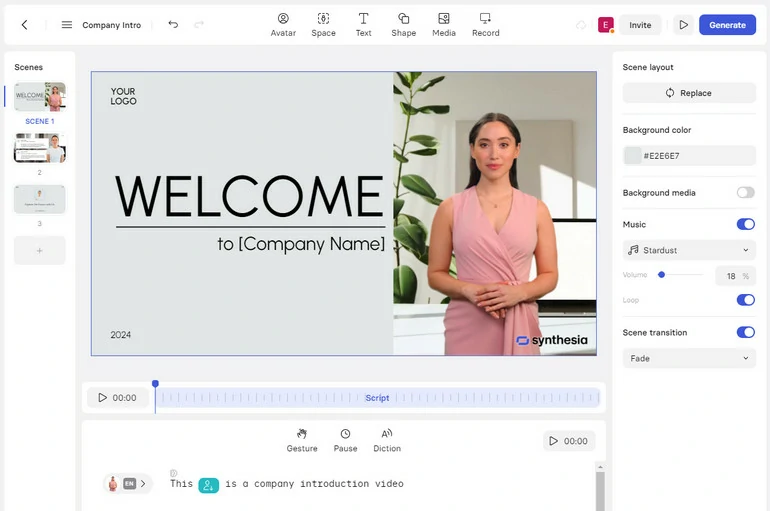
Sythesia - Make an AI Lip Syncing Video
Vidnoz - Turn a Photo into AI Lip Syncing Video
Image how fun it is if Mona Lisa says Hi to you. Vidnoz can make this idea true. Most AI lip syncing video makers ask you to upload a video so that the AI can study your facial expressions and lip movements. Vidnoz only asks you for a single photo and bring it to life.
It seems quite fun, but Vidnoz has its own limitations. Without the AI studying process, Vidnoz can only create a very short video clip from a photo, and the details may not be that perfect.
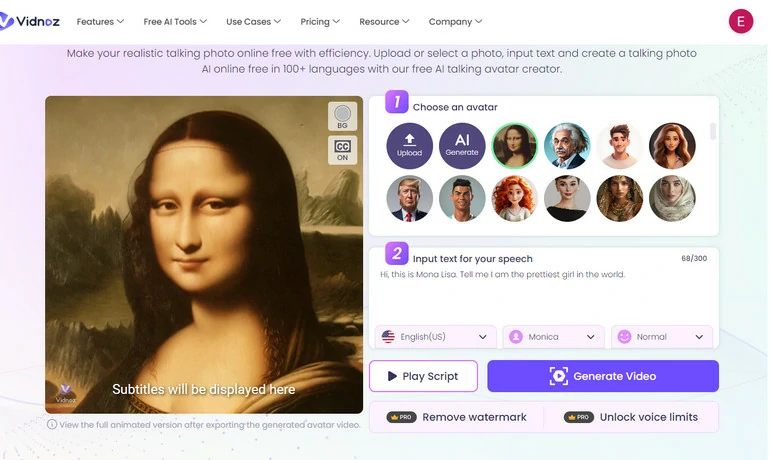
Vidnoz AI Lip Syncing Video Maker
HeyGen - Translate Your Video in Perfect Lip Sync
HeyGen is one of a kind among all AI video creators because of its unique video translation feature. While translating the voiceover, it also changes your lip movements. Tons of YouTubers are creating videos about Taylor Swift speaking fluent Chinese, or Madonna doing interviews in Spanish.
As of the last update of this article, HeyGen’s AI translation is still in beta version. You can try the translation feature for free, but the language support is quite limited. You can only translate the video in some of the major languages like English, Spanish, Japanese, Portuguese.
HeyGen - AI Lip Syncing Video Maker
The Bottom Line
Each app we included in this article provides powerful tools that can help you make a lip sync video effortlessly. Which is the best? Share your opinions with us via Facebook. By the way, FlexClip also helps you create other types of videos, like slideshow, sports video, birthday wishes video. Give it a try.




FlexClip AI Video Maker
Reach professional-quality videos faster with easy editing tools, templates, and smart AI.
Start Now for Free
Hot & Trending
-
Best Ways to Find Music in YouTube Videos
-
Instagram Story Video Quality Bad After Upload? Fix It!
-
How to Repost Video on TikTok & How to Remove TikTok Repost
-
Improve Video Quality Online: 3 AI Video Quality Enhancers You Can't Miss
-
4K Convert to HD 1080p without Watermark: Best 4k Video Converters
-

Best 8 Free Video Editors - No Download Required
-
Top 13 Birthday Video Makers with Music and Effects Free
-
How to Search Filters on TikTok & Use a Filter You See - TikTok Filter Guide