Nowadays, most people tend to take various photos to record their memories. But it seems boring if you just save all your pictures directly on your gadget. To this, you can choose to make your pictures moving along with a matching music or create a photo slideshow with music, which can make your pictures more dramatic and entertaining.
What'more, for your social media share, like Instagram, Facebook, Snapchat, etc., adding music to your picture must be a great way to style and vibe your post. Keep reading to learn how to add music to pictures online.




Also Read: How to Add Music to an Instagram Story with/without Stickers >
How to Add Music to Photos Online for Instagram, Facebook, and More
If you want to add music to multiple photos online for your Instagram or Facebook share, FlexClip is what you need. It helps you add excellent music to your pictures in seconds! You can upload your own music file to the photos, or pick one from its extensive music library in a few clicks. No editing skills required.
Whether you need a turn your birthday memories into a birthday video with music or try to add music to multiple photos for Instagram post or any, you can turn to FlexClip and put music on the photos online for free right now:


Step 1 Upload Your Photos to FlexClip
When you access FlexClip video editor, you can upload your footage from a local file or from your phone directly. You can also pick some beautiful footage from the rich Stock library of FlexClip.
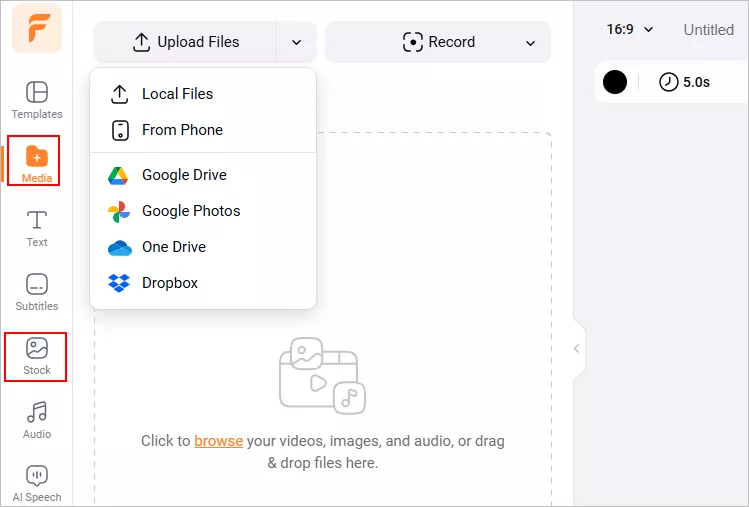
Image Board: Upload Your Pictures
Make sure to pick the proper ratio if you want to share your project on social media. Then add your photos to the Timeline; you can also use the picture in picture feature to make photo collage like the templates below, or directly pick a template from FlexClip's Templates page, then use the AI Recreate feature to quickly turn your pictures into a photo slideshow with professionally-designed layout and stunning effects..


Step 2 Add Music to Photos
Now, you can add music to your photos. FlexClip allows you to upload your own song from a local file or pick one from the extensive music library.
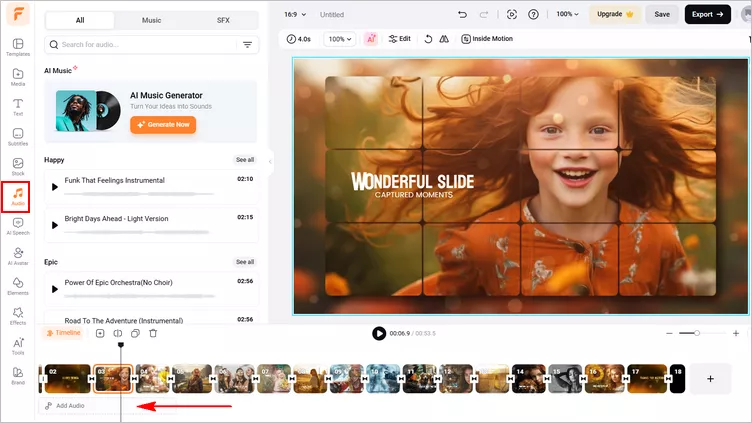
Image Board: Add Music to Your Pictures
Once added, you can trim the music, adjust the start and end points, and apply fade-in or fade-out effects to perfectly match your photo slideshow. You can also fine-tune the volume and playback speed to create a softer, more balanced sound. Additionally, AI-powered tools are available to reduce background noise or separate vocals from the music when needed.
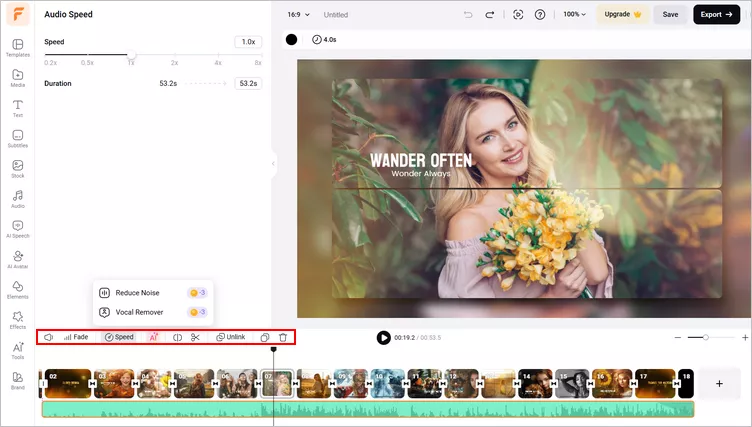
Image Board: Edit the Music Track
Step 3 (Optional) Make More Edits
While you're in the editor, you can use FlexClip's tools to style and vibe your photo slideshow:
- Add & edit text animation to the picture;
- Animate the still photo;
- Add picture, overlays & voice over;
- Crop, filter & adjust brightness or color grade the picture;
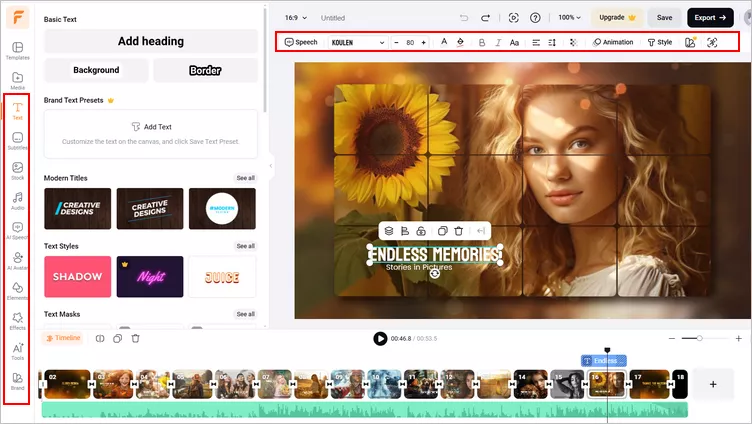
Image Board: Edit Your Picture Slideshow
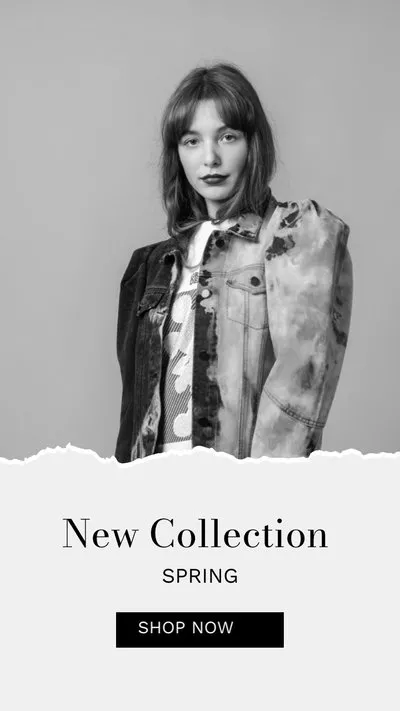
If you have no ideas on how to customize your project, FlexClip offers various video templates designed by graphic artists that will park your inspiration.




Final Words
Ready to begin? Just turn to FlexClip to create your photo slideshow and have fun adding music to your photos. Help your pictures come to life with music and share them to Instagram, Facebook, and more right now!




FlexClip AI Video Maker
Reach professional-quality videos faster with easy editing tools, templates, and smart AI.
Start Now for Free
Hot & Trending
-

Best Ways to Find Music in YouTube Videos
-
Instagram Story Video Quality Bad After Upload? Fix It!
-
How to Repost Video on TikTok & How to Remove TikTok Repost
-

Improve Video Quality Online: 3 AI Video Quality Enhancers You Can't Miss
-

4K Convert to HD 1080p without Watermark: Best 4k Video Converters
-

Best 8 Free Video Editors - No Download Required
-
Top 13 Birthday Video Makers with Music and Effects Free
-

How to Search Filters on TikTok & Use a Filter You See - TikTok Filter Guide